Your guidebooks on this phone
The real thing, on a guest's phone
Screens from our sample house this morning. Swipe for more, tap one to open it live.
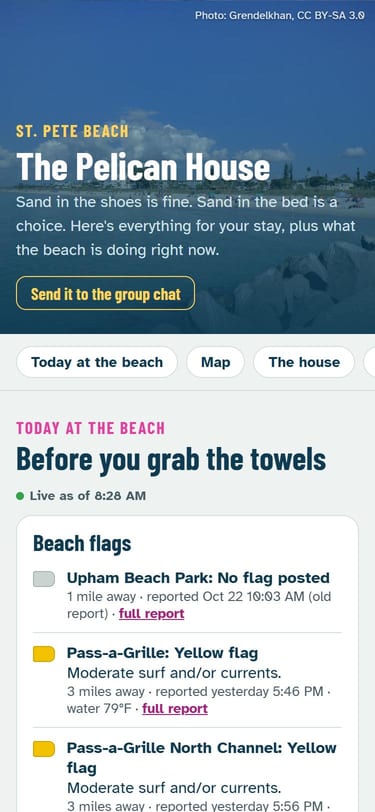
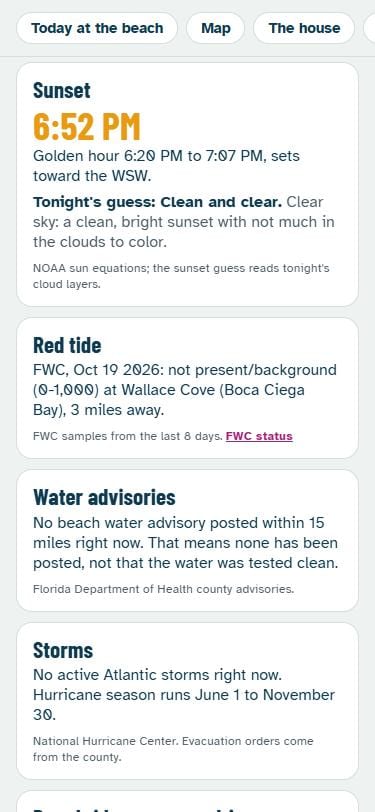
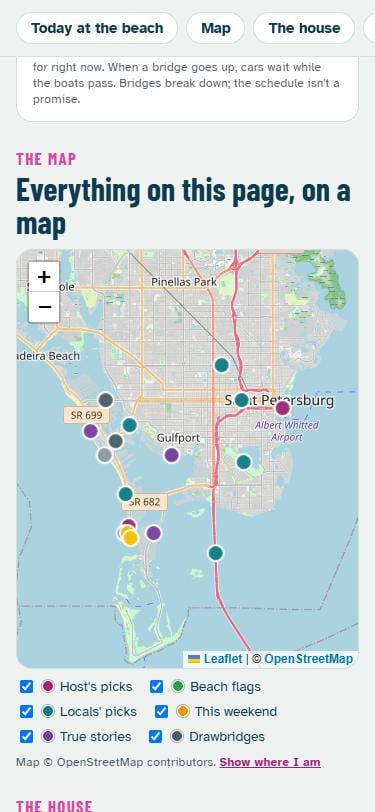
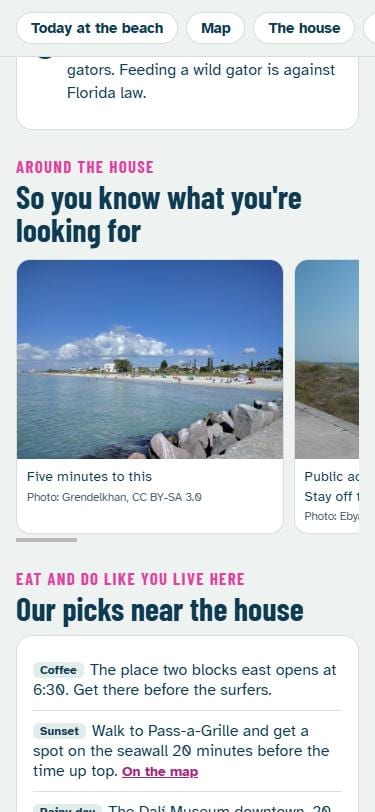
Your notes, plus today
No app for your guests. No account for you. Any house in the US: the beach layer is Florida's, so a house anywhere else gets the weather layer.
About ten minutes, then print the QR
The place
The house
The stuff guests text you about. Leave a line blank and it won't show. No codes or passwords: anyone with the link can read this page, so keep the Wi-Fi password and door codes in your check-in message.
Your picks
Where you'd send a friend. Pin one and it shows on the guests' map.
House rules
Tap one to add it, then change the words to fit your place. The local ones (beach or snow, from your pin) save you the awkward text.
On Airbnb? For bookings made from Nov 20, 2026, every rule has to be in your listing's own House rules first. This page can repeat them, not add new ones. Hosts also can't require dishes, stripped beds, laundry or trash runs at checkout. Check your checkout list
Photos
Save your page first, then add photos: the outdoor shower, where the bins go, the path to the beach. We look at every photo before guests see it.
You
This page
Keep this link. It's how you edit.
No account and no password: this link is the key. It's saved on this phone. Text or email it to yourself too, so you can edit from anywhere.
Run five or more rentals? We'll set them up
Send us what you already give guests: house rules, checkout steps, your picks, photos and the listing link. We build each house's page and send a fridge card with a QR for every house. Thirty days later you get a short note for each house: how many times guests opened it, and what to change.
- Try one free. Send one listing link and we send back that house's finished page.
- Pilot: $149 for 5 houses, set up within 7 days of getting your info. You pay after the pages are live and you've looked them over.
- More houses: $29 each. No monthly fee. The pages stay up free.
Planning with AI? Our live Florida info is also in ChatGPT as the Headed In app.
Tired of resetting codes?

Next Guest: a new door code for every guest, sent for you
Link a smart lock to Airbnb and each booking gets its own code automatically. Put guests on a Wi-Fi network you set once. No monthly fee. Our free how-to picks a lock for your winters and writes your check-in message.
Free turnover tools
The fine print
Is it really free?
Yes. No card, no trial, no account. Having us set up your houses is optional, and only that costs money (see We set it up).
Why can't I put the Wi-Fi password on it?
Anyone with the link can open the page, and links get passed around after a stay. Codes and passwords stay in your check-in message, where each guest gets them for their dates. Put the network name here and say the password is in the message. Tired of changing it after every guest? Set up a guest network once.
Where does the live info come from?
Lifeguard beach reports (Mote Marine Laboratory), FWC's red tide samples, Florida Department of Health water advisories, the National Hurricane Center, NOAA sun math, the federal drawbridge schedules, and the cities' and counties' own event calendars. Outside Florida: the National Weather Service forecast and alerts, the same sun math, and links to the ski areas' own snow reports and the town's own calendar (we link to them; we don't copy them). Every line says where it came from. None of it is a promise that the water is safe or the roads are clear.
When do guests see it?
We look at every new page before it goes live, usually within a day. Until then only you can see it, from your edit link.
I lost my edit link
Open this page on the phone you made it on: it's listed at the top. Otherwise we can't get it back (we never had it: we only keep a scrambled copy), so make a new one and print the new card.